 MuseAudio
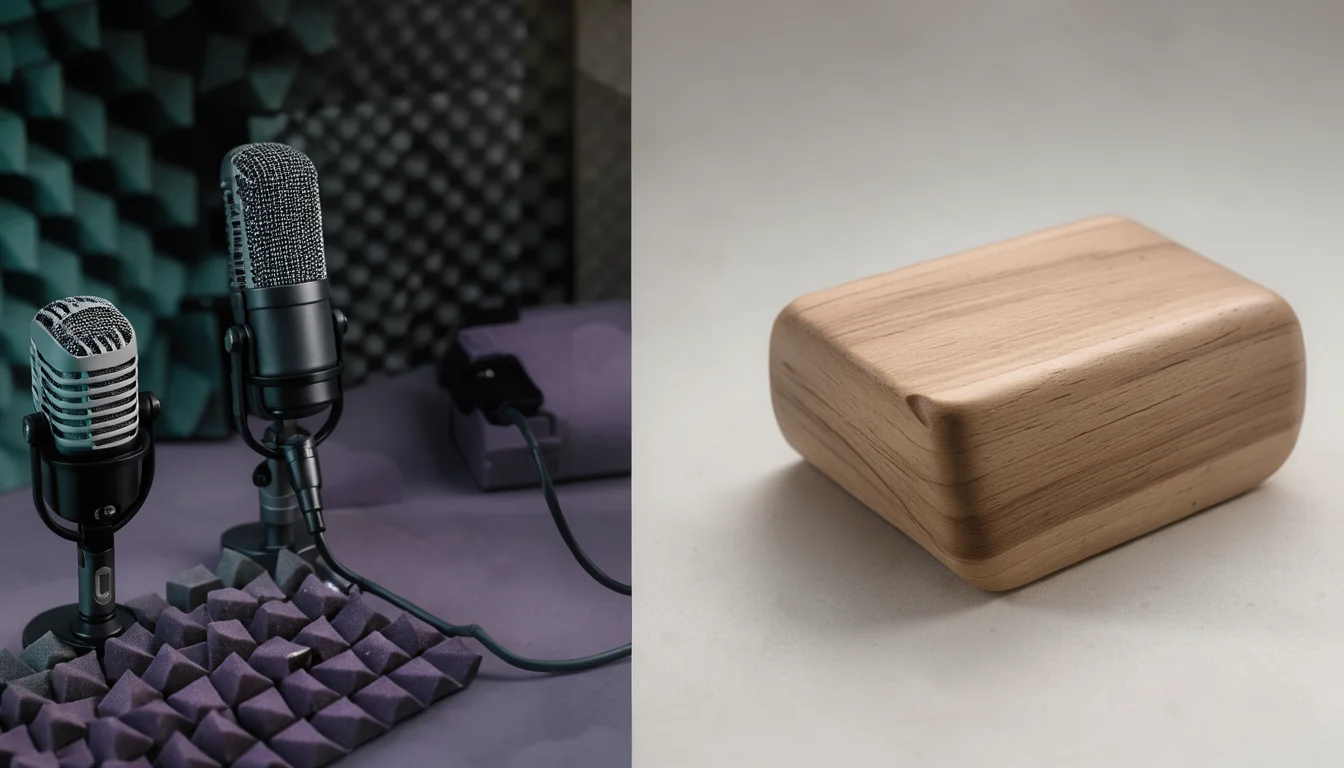
Frequently asked questions
Is TTS better than human recording?
TTS offers instant updates and consistent quality without studio booking. Human recordings provide unique emotional nuance but require scheduling, editing, and mastering. Our API generates audio in seconds, allowing rapid script iteration for museum guides without re-recording entire sessions.
How much money can I save?
You pay $0.01 per 1,000 characters with no monthly commitments. Failed requests are free. This eliminates studio hire, engineer fees, and storage costs. Start with a $0.50 trial. Costs scale directly with usage, making it ideal for variable guide lengths.
Is the voice too robotic?
Voices like Aria and Luna offer warm, clear narration based on licensed recordings. They sound natural for audioguides. While not human, they avoid the monotone of older TTS. Each file includes an inaudible watermark to identify synthetic speech, ensuring transparency.
Can I update scripts easily?
Yes. Send text via API and receive audio instantly. Edit the text, resend, and get new audio. No re-recording or file management needed. This allows real-time corrections for typos or new exhibit info without interrupting your museum installation workflow.
Do I need technical skills?
Basic API knowledge suffices. Use standard HTTP POST requests or OpenAI SDKs. We provide curl examples. Non-technical staff can manage script content, while developers handle integration. The endpoint accepts JSON, making it compatible with most modern web and app stacks.
Which is faster: TTS or recording?
TTS is generally faster for updates, though generation takes a few seconds for short phrases and real-time speed for long texts. Long texts generate at roughly real-time speed (25 chars/sec). Short phrases take seconds. Human recording requires setup, recording, editing, and rendering. TTS delivers audio immediately, enabling rapid prototyping and last-minute script changes for tours.
Can I use both methods?
Yes. You can use human recordings for signature intros and TTS for bulk content. TTS handles dynamic text or frequent updates efficiently. Combine them for optimal cost and quality.
What is the quality difference?
TTS provides consistent, clear audio with no background noise or breaths. Human voices offer unique emotional range. Our voices (e.g., Sage for instructional, Felix for promo) are tuned for clarity. Quality is reliable for information delivery, though less expressive than human artistry.
Is TTS reliable for museums?
Yes. The API is stable and processes requests sequentially. Rate limits are 60 requests/minute. Failed requests are free. Audio is returned immediately. This reliability ensures guides play consistently without studio downtime. Ideal for high-traffic installations requiring dependable, on-demand audio generation.
How do I choose a voice?
Select from 8 presets: Aria (warm), Nova (bright), Luna (soft), Sage (calm), Felix (energetic), Milo (friendly), Atlas (neutral), Orion (deep). Choose based on tone: Sage for instructions, Luna for stories. Test voices with sample text to match your guide’s style.
Can I generate audio instantly?
Yes. Send a POST request and receive audio in seconds. Short phrases take a few seconds. Long texts generate at real-time speed. Requests are processed sequentially, so queuing may occur under load. Immediate delivery allows live updates or on-demand audio generation for interactive museum kiosks.
Do I need a developer?
A developer is helpful for API integration but not strictly required. Use our curl examples or OpenAI SDKs. Non-developers can manage text inputs and voice selection. Developers handle authentication, rate limits, and audio file management in your application’s backend or frontend.
Is the API expensive?
No. It costs $0.01 per 1,000 characters. No monthly fees or minimums. Start with $0.50 free trial. Pay only for what you use. Top up via USDT. This model is cost-effective for startups and small museums with variable audio content needs.
What if I want a specific accent?
Each voice has a fixed accent. You cannot change accents per request. Choose a voice matching your target language’s natural tone. For example, Atlas provides neutral news-style English. Select the voice that best fits your audience’s expected speech pattern for clarity.
Cost comparison

Traditional museum audio guides require booking studio time, hiring voice actors, and paying for editing and mastering. This upfront cost is significant, especially for small institutions with limited budgets. The process is also slow, often taking weeks to produce a single updated guide.
In contrast, the TTS API eliminates studio overhead. You generate audio directly from your script via a simple API call. There are no monthly commitments or minimum spend requirements, making it ideal for startups and independent museums looking to control costs precisely.
Recording studio
Hiring professional voice talent and securing studio time involves significant upfront costs. Editing, noise reduction, and mastering add to the expense. For a museum with multiple exhibits, these costs accumulate quickly, especially when scripts need frequent updates.
The traditional model also ties up your budget in assets that may become outdated. If your exhibit changes, you often need to re-record entire sections, incurring additional labor and studio fees for each revision.
- Studio rental fees
- Voice actor hourly rates
- Editing and mastering costs
- Potential re-recording expenses
TTS API
The API generates audio instantly from text, removing the need for physical studio space or talent coordination. You pay only for what you use, with no monthly subscriptions or hidden fees. This model scales naturally with your content volume.
Failed requests are free, ensuring you only pay for successful audio generation. The API supports up to 4096 characters per request, allowing you to process long scripts efficiently while maintaining consistent quality across all your guides.
- No studio rental
- No talent fees
- No monthly commitments
- Pay-as-you-go model
Per-character cost
Pricing is straightforward: $10 per 1 million characters, or $0.01 per 1,000 characters. Spaces and punctuation count toward this total. This predictability allows you to budget accurately for each exhibit or tour, knowing exactly what each script update will cost.
A free trial provides $0.50 of credit (about 50,000 characters) valid for 7 days when signing in with Google. This allows you to test the API with your actual museum scripts before committing to a top-up via USDT on the TRON network (TRC-20).
- $0.01 per 1,000 characters
- $10 per 1 million characters
- Spaces and punctuation count
- Free trial: $0.50 credit
Speed to market

Traditional recording requires scheduling studio time, booking voice actors, and waiting for editing. MuseAudio eliminates this delay. You send text and receive audio files via API; short phrases take a few seconds, while longer texts generate at roughly real-time speed. This allows museums to launch tours in days, not weeks.
Changes to scripts do not require re-recording entire sessions. You generate only the modified segments. This speed supports agile content management for evolving exhibits and real-time information updates.
Booking voice actors
Hiring talent involves negotiations and scheduling conflicts. MuseAudio removes this dependency. Your team controls the timeline directly.
No need to coordinate with external studios. Generation starts immediately upon API request, though requests are processed sequentially and may wait in a queue under load.
- No talent scheduling delays
- No studio availability constraints
- Immediate start of production
Instant generation
API returns audio files in seconds for short phrases. Longer texts generate in real-time speed. This ensures content is ready for deployment before visitors arrive.
The system processes requests sequentially. Under normal load, generation remains fast. Queues may form during high demand, but no manual intervention is needed.
- Seconds for short phrases
- Real-time for long texts
- Automated processing
Updates
Modify text in your database and call the API again. Only the changed audio is regenerated. This keeps information accurate without re-recording entire tours.
Perfect for temporary displays or last-minute schedule changes. Update content daily or hourly as needed without technical overhead.
- Regenerate only changed segments
- Update content daily
- No re-recording needed
Flexibility

Museums often update exhibits based on new research or seasonal themes. With our TTS API, you regenerate audio files instantly without rebooking studio time or voice actors. Scripts can be edited and re-synthesized in minutes, ensuring your audioguide always reflects the current narrative.
Adding a new language is a matter of selecting the correct language ISO code in your API request. You do not need to hire new talent or manage complex localization logistics. The same voice presets handle all 23 supported languages, allowing you to expand reach without additional production overhead.
Script changes
Edit text directly in your code or CMS. Re-run the POST /v1/audio/speech endpoint to get updated audio. No manual recording sessions required.
- Update historical facts instantly
- Fix typos in seconds
- A/B test different phrasings
Language addition
Specify the target language in the request body. The engine handles pronunciation and intonation automatically. Supports 23 languages including Arabic, Chinese, and Swahili.
- No new voice talent needed
- Consistent voice across languages
- Instant generation for new tourists
Voice swaps
Change the voice parameter to switch between 8 presets. Switch from "sage" for instructional content to "felix" for energetic promos. Maintain brand consistency with a single voice or vary tone for different exhibits.
- 8 distinct presets available
- Mix male and female voices
- Adjust speed from 0.25x to 4.0x
Quality

Traditional studio recordings capture natural human breath, subtle pauses, and emotional inflection that listeners often associate with authenticity. However, for museum audioguides, clarity and informational density are often prioritized over nuanced performance. Our API prioritizes clear enunciation over dramatic expression, ensuring visitors hear every detail without distraction.
Synthetic speech eliminates the background noise, microphone artifacts, and inconsistent volume levels common in on-site studio recordings. Each generated audio file carries an inaudible watermark confirming its synthetic origin, while maintaining a neutral, professional tone suitable for educational content.
Human nuance
Studio recordings offer organic imperfections like slight hesitations or natural intonation shifts that can make a guide feel more personal. For complex historical narratives, this human touch can aid engagement. However, our eight voice presets—such as the warm Aria or calm Sage—are optimized for clear information delivery rather than dramatic performance.
- 8 licensed voice presets based on LibriTTS-R recordings
- Optimized for clear enunciation over dramatic expression
- Inaudible watermark marks synthetic origin
Synthetic clarity
Text-to-speech engines produce consistent audio quality regardless of the recording environment. There is no risk of echo, background crowd noise, or microphone dropouts that plague field recordings. The audio is clean, direct, and uniformly balanced across all devices, from museum kiosks to personal smartphones.
Consistency
Unlike human voice actors whose tone may vary between sessions or fatigue over long recording days, the API generates audio with identical quality every time. This ensures that a visitor listening to the same exhibit guide on different days hears the exact same pacing and volume, maintaining a uniform brand experience.
Scalability

Scalability ensures your audio infrastructure grows with demand without proportional cost increases. The API handles volume via a simple per-character model, eliminating the need to hire additional voice talent for larger projects or seasonal spikes in tourist traffic.
One-off tours
Generate unique audio for short-term exhibitions or special events instantly. Since pricing is based on character count rather than session fees, producing content for a temporary display costs the same per character as a permanent installation, allowing flexible budgeting for experimental or limited-run guides.
- No minimum spend for single projects
- Ideal for rotating exhibits
- Zero overhead for short durations
Multi-location
Deploy identical or varied audio across multiple museum branches using a single API key. Maintain consistent brand voice across all locations while allowing each site to customize scripts independently. The API’s 60 requests per minute limit supports steady-state distribution across multiple devices or servers.
- Single key for all sites
- Consistent voice profiles
- Independent script management
Global reach
Serve international visitors by generating audio in 23 languages without hiring native speakers for each market. Any voice can speak any supported language, ensuring high consistency even when expanding into new regions like Turkey, Poland, or the Middle East. Language guessing works for Latin scripts, but explicit codes ensure accuracy for others.
Technical requirements

Museums need minimal hardware. Audio playback devices, from Raspberry Pi units to standard tablets, handle the output files without special drivers. The API handles the heavy lifting of synthesis in the cloud, so local processing power remains low. This allows existing display infrastructure to remain unchanged.
Hardware needed
Standard playback devices like tablets or embedded Linux units are sufficient. The API returns standard audio formats (mp3, wav, opus, flac, pcm) compatible with any modern media player. No specialized audio interfaces or high-performance servers are required for the end-user devices.
API integration
Integration uses standard HTTP POST requests to https://api.av66apk.com/v1/audio/speech. The request body matches the OpenAI speech endpoint schema, allowing the use of official OpenAI SDKs by simply updating the base_url. Authentication is handled via a single Bearer token.
- Endpoint:
POST /v1/audio/speech - Auth:
Authorization: Bearer tts-... - SDKs: Compatible with OpenAI Python/JS libraries
Staff skills
Basic programming knowledge is sufficient. Developers need to handle JSON payloads and manage API keys. No audio engineering expertise is required since the API manages synthesis quality. Maintenance involves simple script updates and key rotation via the dashboard.
Use cases

Museums require reliable, consistent audio for permanent exhibits. Our API generates stable audio files that never degrade, ensuring every visitor hears the same clear narration regardless of peak hours. The synthetic watermark identifies the content as generated without compromising the experience.
For temporary displays, scripts change frequently. With character-based pricing, you only pay for what you generate. Update narratives for new exhibitions without rebooking voice actors or re-recording entire sessions, keeping operational costs predictable.
Permanent exhibits
Generate high-quality audio tours that run indefinitely without battery or speaker wear issues. The API handles the heavy lifting, delivering consistent MP3 or WAV files that integrate seamlessly into existing display hardware.
- No recurring studio fees
- Instant deployment to any device
Temporary displays
Swap narration for rotating exhibits in minutes. Since requests are processed sequentially, busy periods may cause queuing delays. Pay only for the characters used in each new script version.
- Rapid script iteration
- Zero inventory waste
Mobile apps
Integrate the TTS API directly into your museum app using the OpenAI SDK. Generate localized content on-demand for 23 languages, allowing international tourists to access guides in their native tongue without downloading large language packs.
- On-demand generation
- Multi-language support
Voice options

Choose from eight distinct voice presets, each engineered for specific narrative styles. Whether you need a warm narrator for historical context or a neutral tone for directional cues, there is a preset that matches your exhibit’s character.
8 presets
The library includes four female and four male voices, ranging from the soft, storytelling style of Luna to the energetic, promo-ready Felix. Each voice is derived from licensed recordings, ensuring a professional baseline for your audio guides.
- Aria: Warm, clear narrator
- Luna: Soft, storytelling
- Felix: Energetic, promo
- Atlas: Neutral, news
Gender mix
A balanced selection of male and female voices allows for natural dialogue between characters or distinct sections of your tour. This variety prevents listener fatigue during longer audioguide experiences without requiring additional voice actor hires.
Tone variety
Voices range from the deep, documentary style of Orion to the bright, upbeat Nova. This tonal range supports diverse exhibit types, from somber historical memorials to vibrant, interactive children’s displays, all generated instantly via the API.
Language support

MuseAudio supports 23 languages, covering major tourist markets including Arabic, Chinese, French, German, Japanese, Korean, Spanish, and Hindi. Each voice can speak any of these languages, allowing a single audio track to serve diverse visitor demographics without requiring multiple voice actors.
This flexibility eliminates the need for separate recording sessions per language. The API detects the script language automatically, though you can explicitly set the ISO code to ensure accuracy for non-English Latin text.
23 languages
The API supports Arabic, Chinese, Danish, Dutch, English, Finnish, French, German, Greek, Hebrew, Hindi, Italian, Japanese, Korean, Malay, Norwegian, Polish, Portuguese, Russian, Spanish, Swahili, Swedish, and Turkish. Not supported are Vietnamese, Indonesian, Thai, Ukrainian, Romanian, Czech, and Bengali.
When the language field is omitted, the system guesses the language from the script. Latin script defaults to English, so explicitly setting the language is recommended for other Latin-based languages to prevent mispronunciation.
- Arabic, Chinese, Danish, Dutch, English, Finnish, French, German, Greek, Hebrew, Hindi, Italian, Japanese, Korean, Malay, Norwegian, Polish, Portuguese, Russian, Spanish, Swahili, Swedish, Turkish
Single voice
Any of the 8 voice presets can speak all 23 supported languages. This means you can maintain a consistent audio identity across your entire museum network, regardless of the language being spoken. There is no need to hire native speakers for each language variant.
Using a single voice profile ensures brand consistency. Whether a visitor is in Tokyo or Toronto, the audio guide retains the same tonal character, merely adapting to the spoken language.
Global tourists
Museums often serve international audiences. With 23 languages available, you can provide immediate accessibility to the majority of global tourists without negotiating individual contracts for each language group. The API handles the linguistic variation efficiently.
This approach reduces overhead significantly. Instead of managing multiple voice actor schedules and recording studios for different languages, you generate audio on demand via the API, ensuring that new languages can be added instantly as visitor demographics shift.
Maintenance

Maintenance for a TTS-driven museum system is primarily operational rather than technical. Unlike physical hardware that degrades or software plugins that require manual updates, your audio assets are generated on demand or cached locally. This eliminates the need for periodic hardware checks or software patching cycles specific to the playback devices.
The primary maintenance task is content management. When exhibit scripts change, you regenerate the audio files using the API and replace the local files or update the streaming URLs. This process takes seconds and ensures the audio always matches the current physical layout without requiring a technician to visit the site.
Script updates
Updating a tour script is immediate. Modify the text in your source file, send it to the TTS API, and replace the existing audio file on the visitor’s device or server. There is no re-recording session, no studio booking, and no waiting for post-production. Changes can be deployed to all devices simultaneously via your app or local network.
- Regenerate audio in seconds
- Replace files via API or local push
- No post-production delay
Voice changes
Switching voices requires no new hardware. To change a narrator from 'Aria' to 'Felix', simply update the voice parameter in your API request and regenerate the audio. The playback devices remain unchanged. This allows A/B testing of different tones for different exhibits without any physical modification to the kiosks or headsets.
- Zero hardware changes
- Instant tone swap via API
- A/B test narratives easily
API uptime
The API does not require constant connectivity if you cache audio files locally on kiosks or tablets. For on-demand generation, rely on the standard 60 requests/minute limit. Since there is no SLA, plan for occasional queuing during peak hours by generating critical tour audio in advance during off-peak hours.
- Cache audio for offline play
- Respect 60 req/min limit
- Pre-generate during off-peak hours
Implementation

Integration is straightforward because the API follows the OpenAI speech endpoint shape. You can use the official OpenAI SDKs by simply changing the base_url to https://api.av66apk.com/v1 and providing your API key. This allows immediate adoption without learning a new library.
For teams preferring lightweight solutions, standard HTTP POST requests work perfectly. Send a JSON body with model, input, and voice parameters to receive the audio file directly. No complex middleware or proprietary wrappers are required to get started.
OpenAI SDK
Use the standard OpenAI Python or Node.js libraries. Point the base_url to https://api.av66apk.com/v1 and authenticate with your tts-... key. The request body matches the OpenAI format exactly, enabling drop-in replacement for existing codebases.
- Compatible with official OpenAI SDKs
- Change
base_urlonly - Use standard
tts-1ortts-1-hdmodels
Custom code
Implement direct HTTP POST requests to https://api.av66apk.com/v1/audio/speech. Send a JSON payload containing the text, voice selection, and format. The response contains the binary audio data, ready to be saved or streamed to the user’s device.
- Works with any language
- No vendor lock-in
- Simple JSON structure
No plugins
There is no WordPress plugin or browser extension. The solution is API-first, meaning it integrates directly into your backend or mobile app logic. This ensures full control over caching, character splitting, and error handling without relying on third-party CMS plugins.
- No WordPress plugin
- No browser extension
- API-first architecture
Decision matrix

Choose the TTS API when speed, budget control, and multi-language support outweigh the need for unique human nuance. It eliminates studio booking delays and allows instant script updates without re-recording entire tours.
Small museum
Ideal for limited staff and tight budgets. Generate audio in-house without coordinating external voice actors or studio time. Update exhibit scripts daily with zero re-recording costs.
- Low upfront cost
- No studio scheduling
- Easy script edits
Large chain
Deploy consistent audio across multiple locations instantly. Switch voices or languages per branch without hiring local talent. Maintain brand tone with standardized presets like Atlas for news-style updates.
- Consistent quality
- Global language support
- Centralized control
Startup
Ideal for rapid prototyping. Test voice styles and languages with minimal capital. Scale from prototype to production using the same OpenAI-compatible SDK without infrastructure changes.
- Rapid iteration
- Low risk
- Easy scaling
Listen to the 8 voices
Each sample below was generated by this API from the same sentence. Each voice can speak any of these languages, allowing a single audio track to serve diverse visitor demographics without requiring multiple voice actors.


23 languages
Any voice speaks any of these languages.
